Jaggaer Sourcing Platform: UX Modernization & Code-Based Prototyping
Launch Interactive PrototypeTransitioning legacy JAGGAER Request Pattern and Cost Breakdown Structure (CBD) workflows into the modern Sourcing Platform using high-fidelity code-based prototypes, dynamic tree navigation, and interactive formula configuration logic.
Modernizing Enterprise Procurement Workflows
Enterprise procurement modules demand complex data orchestration—balancing multi-tiered cost breakdown structures, conditional questionnaire triggers, and mathematically dynamic pricing formulas across large RFQ volumes. Redesigning these systems required replacing legacy visual clutter and fragmented modalities with a unified, high-density component architecture.
Serving as Senior Enterprise Product Designer & AI Design Engineer, I designed and coded an interactive prototype to serve as a production-grade behavioral contract for engineering. This functional code prototype validated complex conditional rules, aligned Product Management scope early, and established a scalable design system for the Sourcing Suite.
Legacy System Bottlenecks & Operational Constraints
The baseline application suffered from critical usability debt, modal fatigue, and lack of visual logic hierarchy.
Outdated UI & Visual Noise
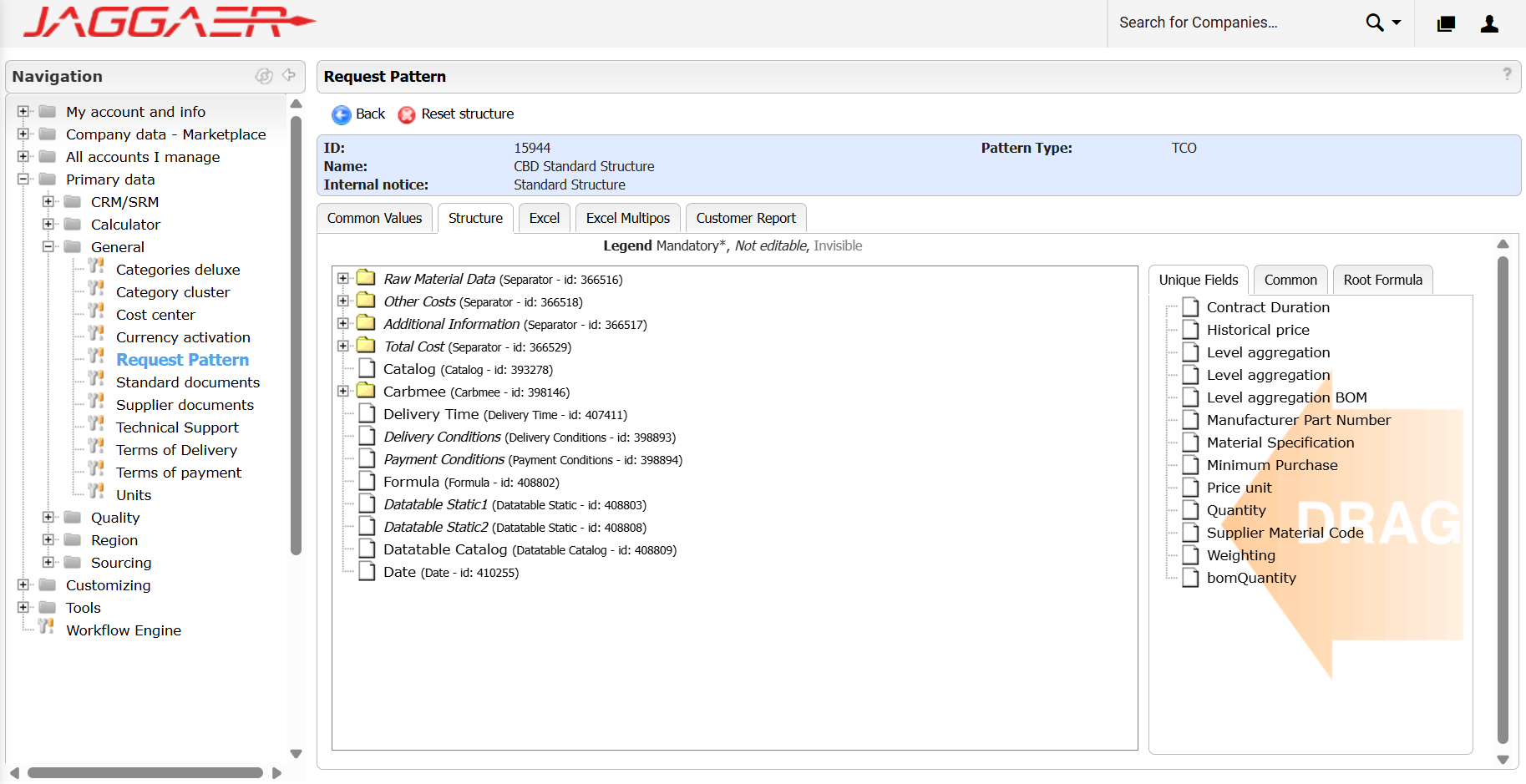
Usability DebtCluttered Windows-98-style file trees, obscure drop zones, and legacy form fields made building cost breakdown structures error-prone and inefficient.
Fragmented Context
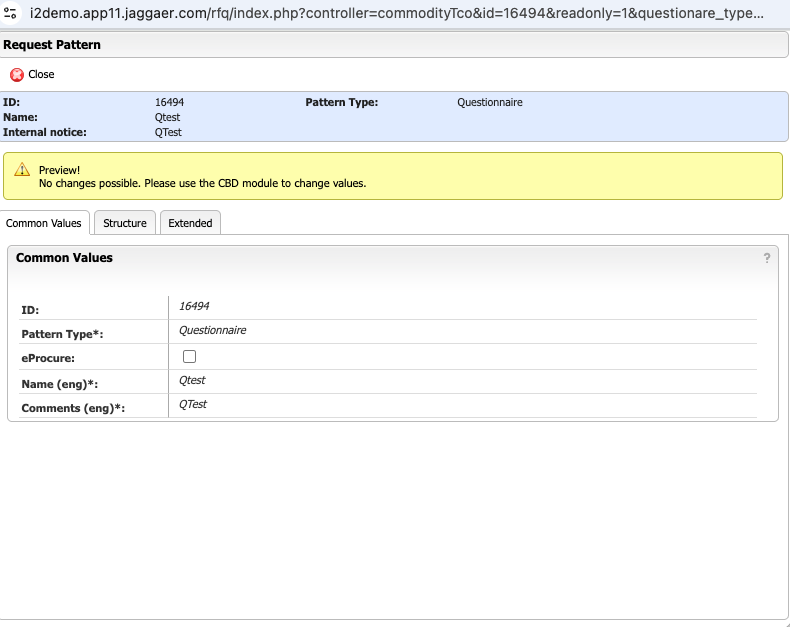
Modal FatigueUsers were forced into read-only modal popups to view basic attribute details, causing disruptive navigation back-and-forth across the application.
Opaque Logic & Formulas
Calculation RisksMathematical formula configuration and conditional logic were hidden behind rigid text inputs without inline validation or real-time feedback.
Strategic Lever & Architectural Shift
Pairing interactive code-based prototyping with a redesigned component model to align stakeholders and eliminate engineering friction.
PM & Scope Alignment
Scope FreezeEnabled real-time testing of complex edge cases (dynamic field injection, conditional rules like IF MOQ > 1000 THEN SHOW fields) to freeze scope early and eliminate late pivots.
Frontend Behavioral Contract
Code HandoffDelivered production-grade HTML structures, responsive CSS layouts, and state management logic straight to engineering, eliminating guesswork during sprint planning.
High-Fidelity Validation
Pre-Dev VerificationAllowed internal stakeholders to test realistic data density, inline formula creation, and dynamic drawer states before backend engineering commenced.
| Legacy Interface | Modernized Experience | Design Rationale & Impact |
|---|---|---|
| Request Pattern Tree Directory trees, non-intuitive drag/drop lists |
3-Column Canvas & Field Tree Left structure navigation, middle editable tree canvas, right property drawer |
Contextual Editing: Reduced modal jumping by keeping structural navigation, section building, and property inspection on a single screen. |
| Formula Configuration Static text areas, lack of visual feedback |
Interactive Formula Builder Dedicated Root Formula tab with tokenized operator/function buttons and code chips |
Error Prevention: Tokenized codes accelerate syntax creation while preventing typos in critical pricing formulas. |
| Nested Logic & Dependencies Hidden configurations requiring separate lookup views |
Inline Conditional Builder Visual IF/THEN trigger blocks directly under parent fields with dynamic badge tags |
Scannability: Clear visual links show conditional relationships (e.g., Volume Discount linked to MOQ > 1000). |
| Fragmented Sourcing Hub Disjointed navigation paths across modules |
Unified Sourcing Suite Global left nav linking RFQs, Questionnaires & CBDs, BOM, and Eprocurement |
Workflow Continuity: Seamless movement from raw questionnaire builder to active RFQ list views with real-time status badges. |
Product Alignment, Engineering Handoff & User Satisfaction
By partnering directly with Product Management, the strategic vision was locked early through rapid interactive code deliverables. Providing production-ready UI assets and functional logic directly to engineering streamlined developer handoff, minimized sprint friction, and established an aligned architecture across the platform. Below is the complete 5-item detail sequence highlighting the visual system unlocked across the Cost Breakdown Structure.
Replacing nested popups with a 3-column canvas significantly reduced step time for buyers creating complex breakdown structures.
Providing production-grade HTML/CSS & behavioral contracts drastically minimized UI rework during front-end implementation.
Tokenized code chips and inline operator validation virtually eliminated syntax and typing errors during formula builder setup.
Interactive prototyping allowed Product Management and stakeholders to test and lock complex edge-case rules prior to development.
High-Density Enterprise RFQ Dashboard
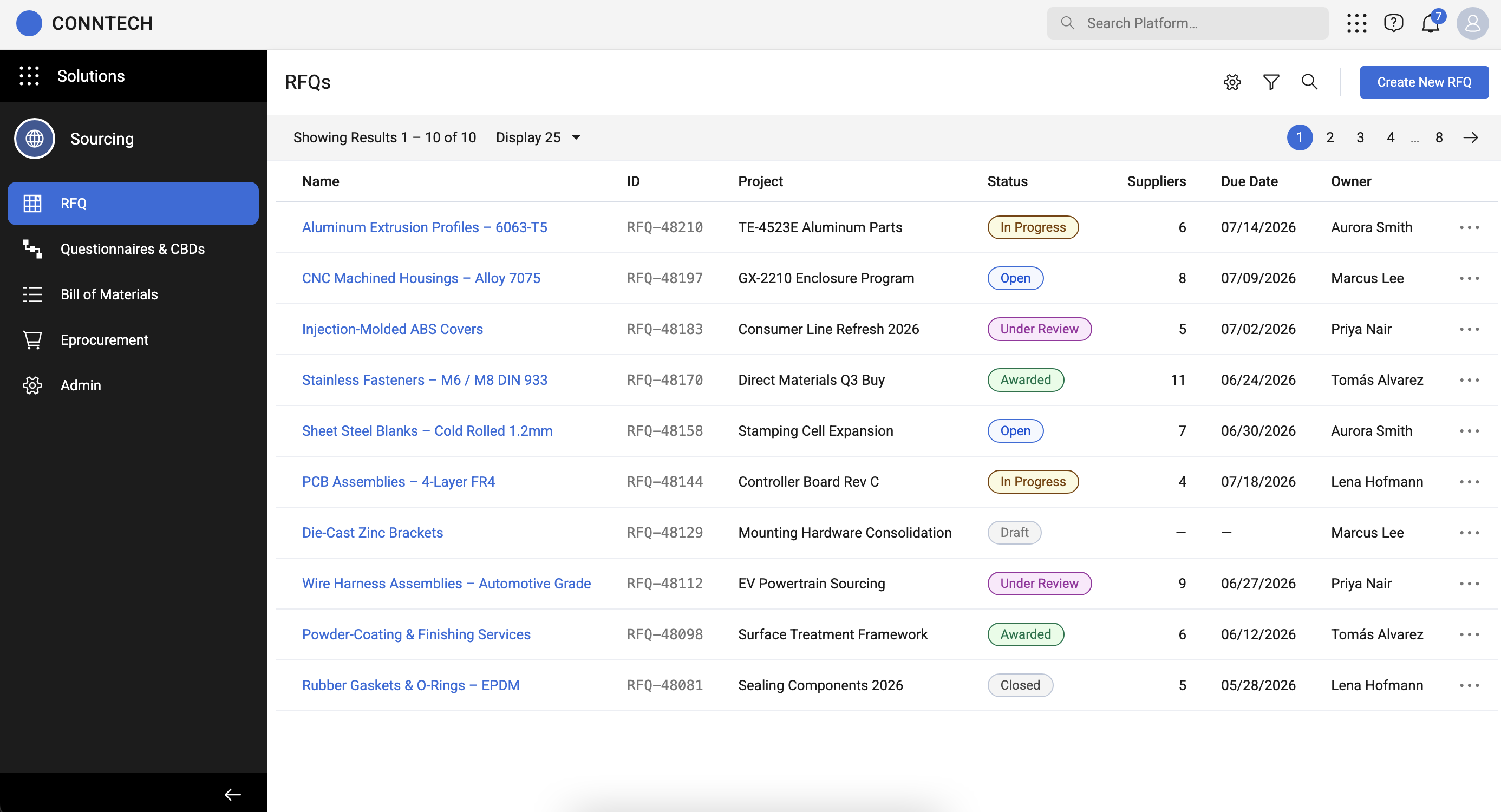
UX Outcome: Provides direct executive visibility into active procurement events with color-coded status pills (In Progress, Open, Under Review, Awarded), project mappings, and immediate action menus.
RFQ Creation & Base Data Setup Wizard
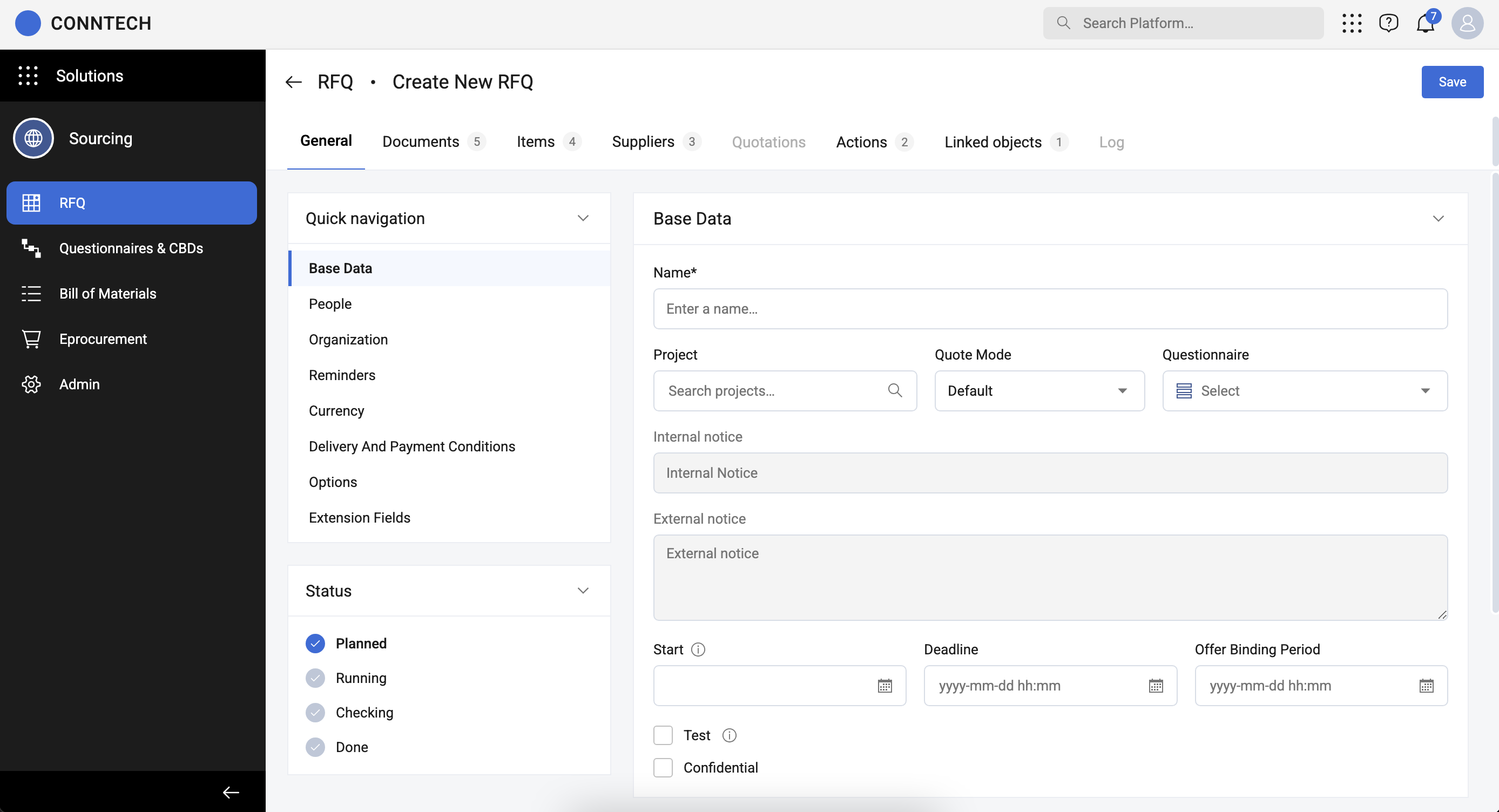
UX Outcome: Standardizes multi-step RFQ configuration with a quick-navigation sidebar, timeline/binding settings, and direct questionnaire assignment controls.
Modal-Based Questionnaire & CBD Template Editor
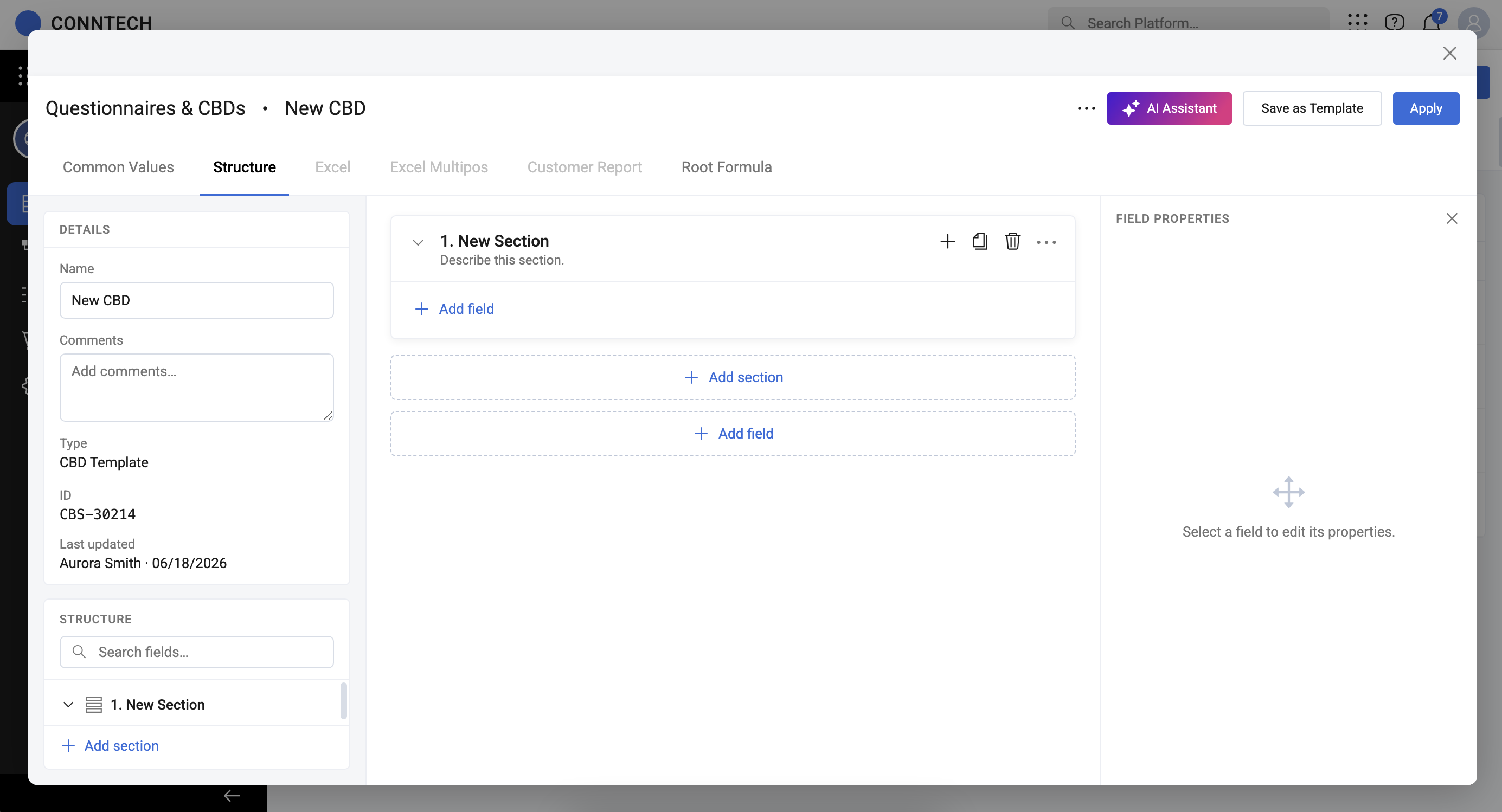
UX Outcome: Establishes a focused overlay workspace for authoring section hierarchies, details metadata, and AI Assistant copilot integration prior to template deployment.
3-Column Canvas & Stateful Field Inspection Drawer
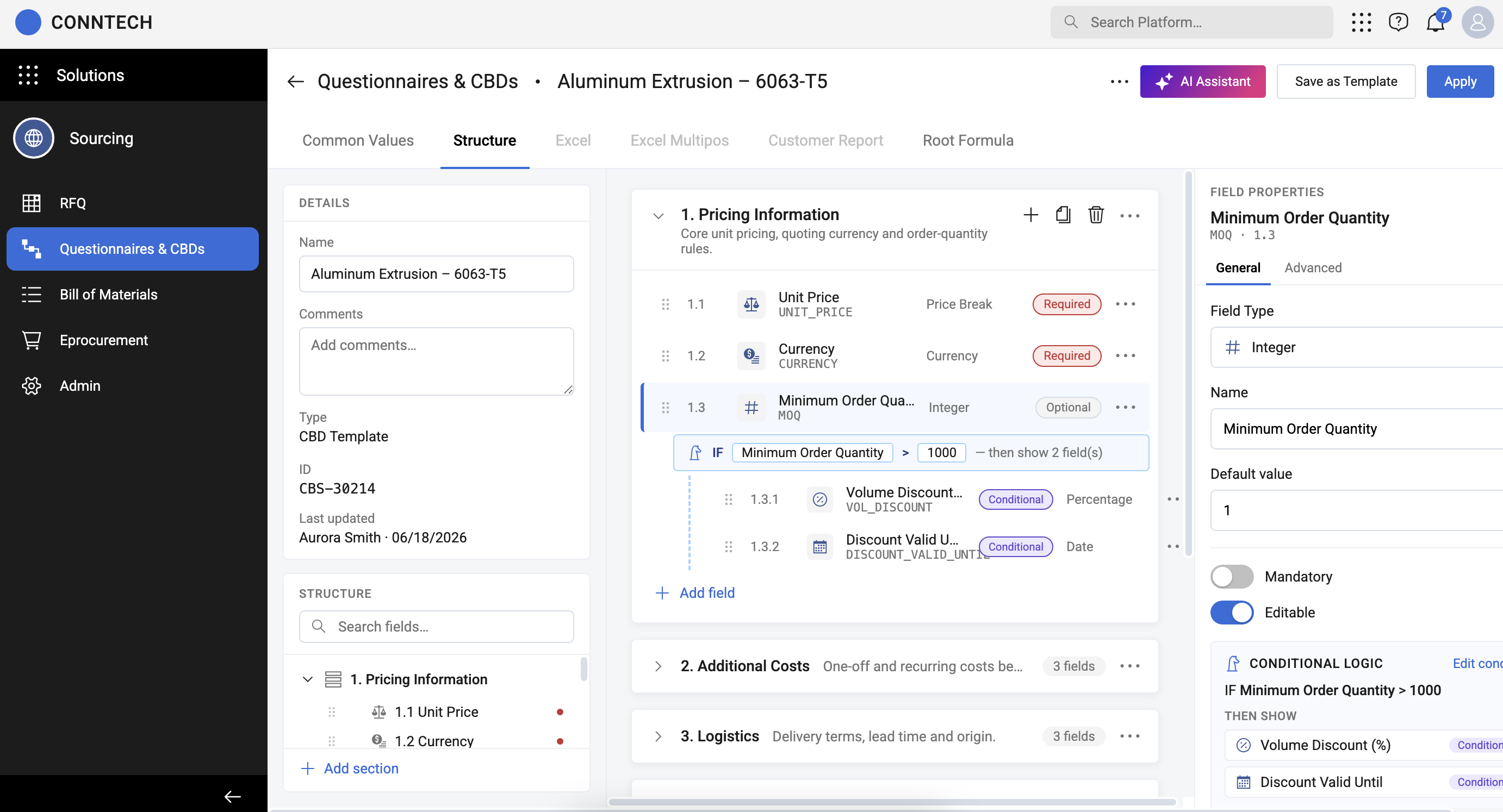
UX Outcome: Couples middle-canvas inline editing with a right-hand property inspector, revealing conditional rules (`IF MOQ > 1000 THEN SHOW fields`) and property toggles on a single screen.
Tokenized Root Formula Calculation Builder
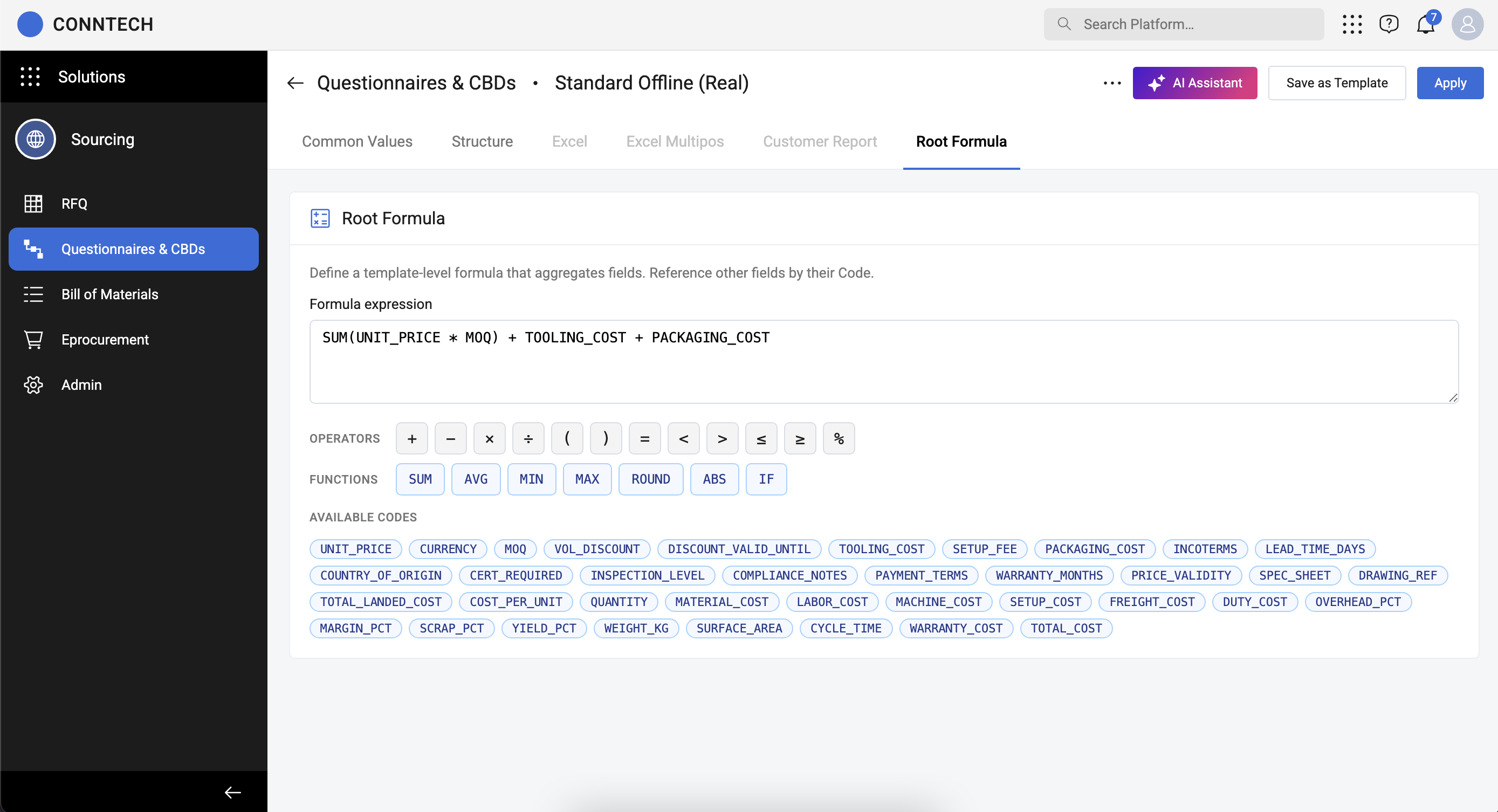
UX Outcome: Features a full-canvas calculation editor powered by clickable operator chips (`+`, `-`, `*`) and formula codes (`SUM`, `AVG`, `MIN`, `MAX`) for reliable pricing logic.
By unifying code-based prototyping with modern UI/UX design patterns, this overhaul successfully moved the JAGGAER platform away from legacy visual debt into an intuitive, high-velocity enterprise workflow. The live functional prototype established a clear behavioral contract for engineering—reducing rework, clarifying complex calculation logic, and establishing a benchmark for future procurement module modernizations.